Open any project. Know it in seconds.
One page, written from what's actually in the repo.
 DevAtlas
Native macOS app · Open source · MIT
DevAtlas scans your disks, recognizes real projects, and puts their dependencies, code health and Git history in one native window.
Free · 5 MB DMG · macOS 14 Sonoma or later
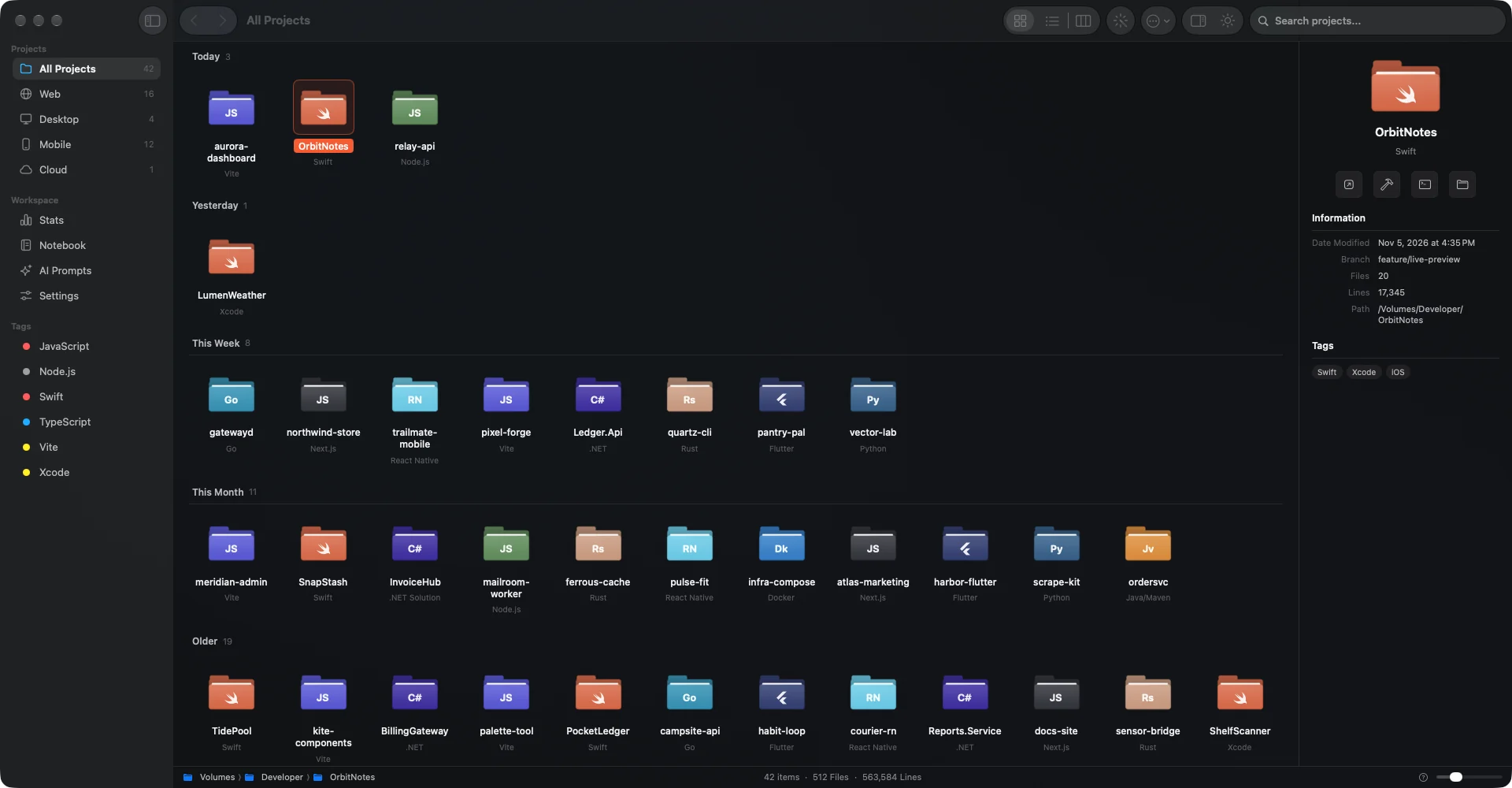
Real app, sample data: 42 fictional projects, 512 files, 563,584 lines.
Chart 01 · Discovery
Your home folder and every mounted volume. DevAtlas looks for the files that prove a folder is a project, resolves symlinks, removes duplicates, and walks straight past the noise.
Chart 02 · Workspace
Color-coded folders, grouped by Today, This Week, This Month and Older.
A sortable table with dates, types, Git branches and tags.
Type, repository, preview. Three columns and a path bar.
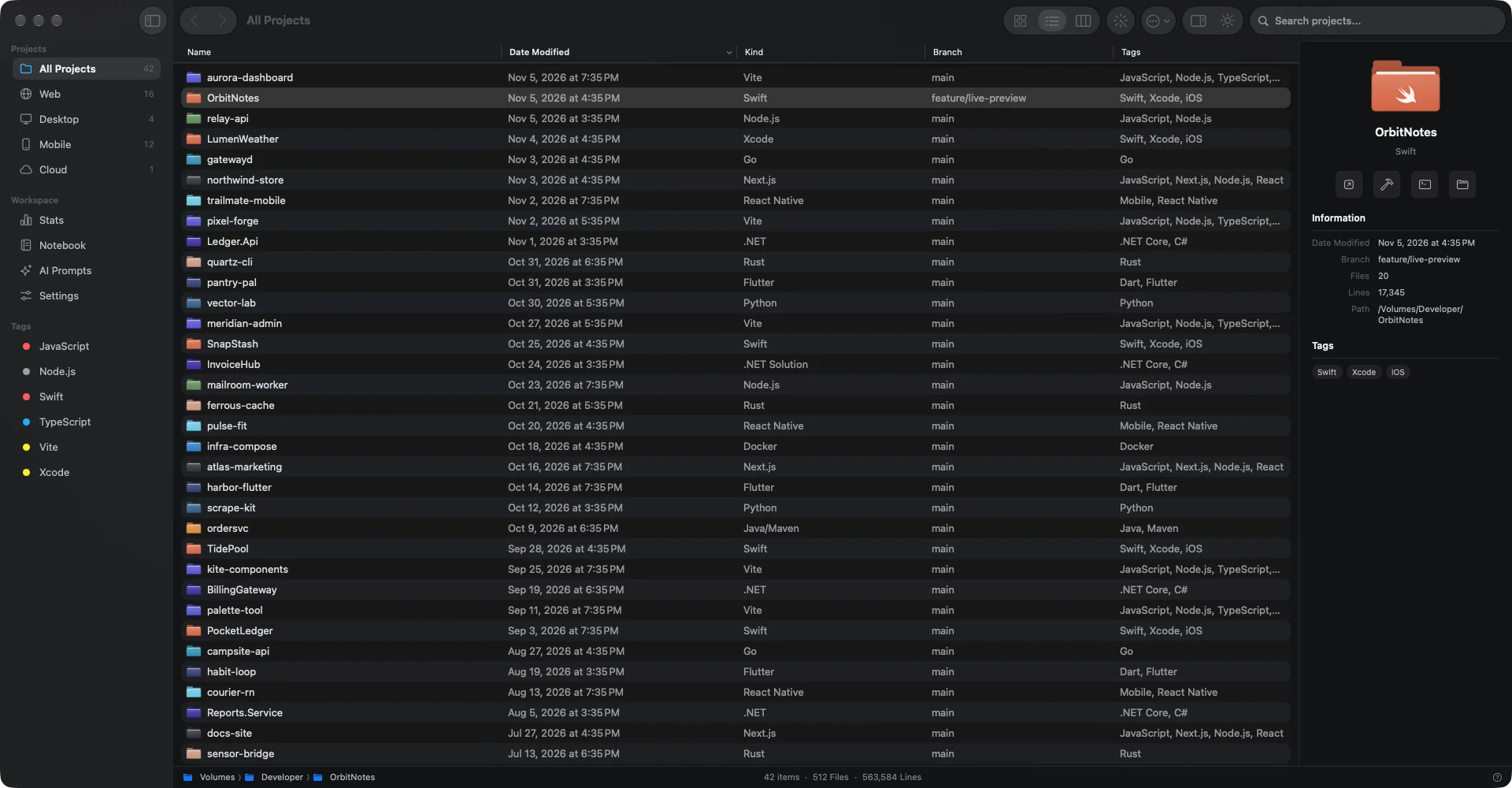
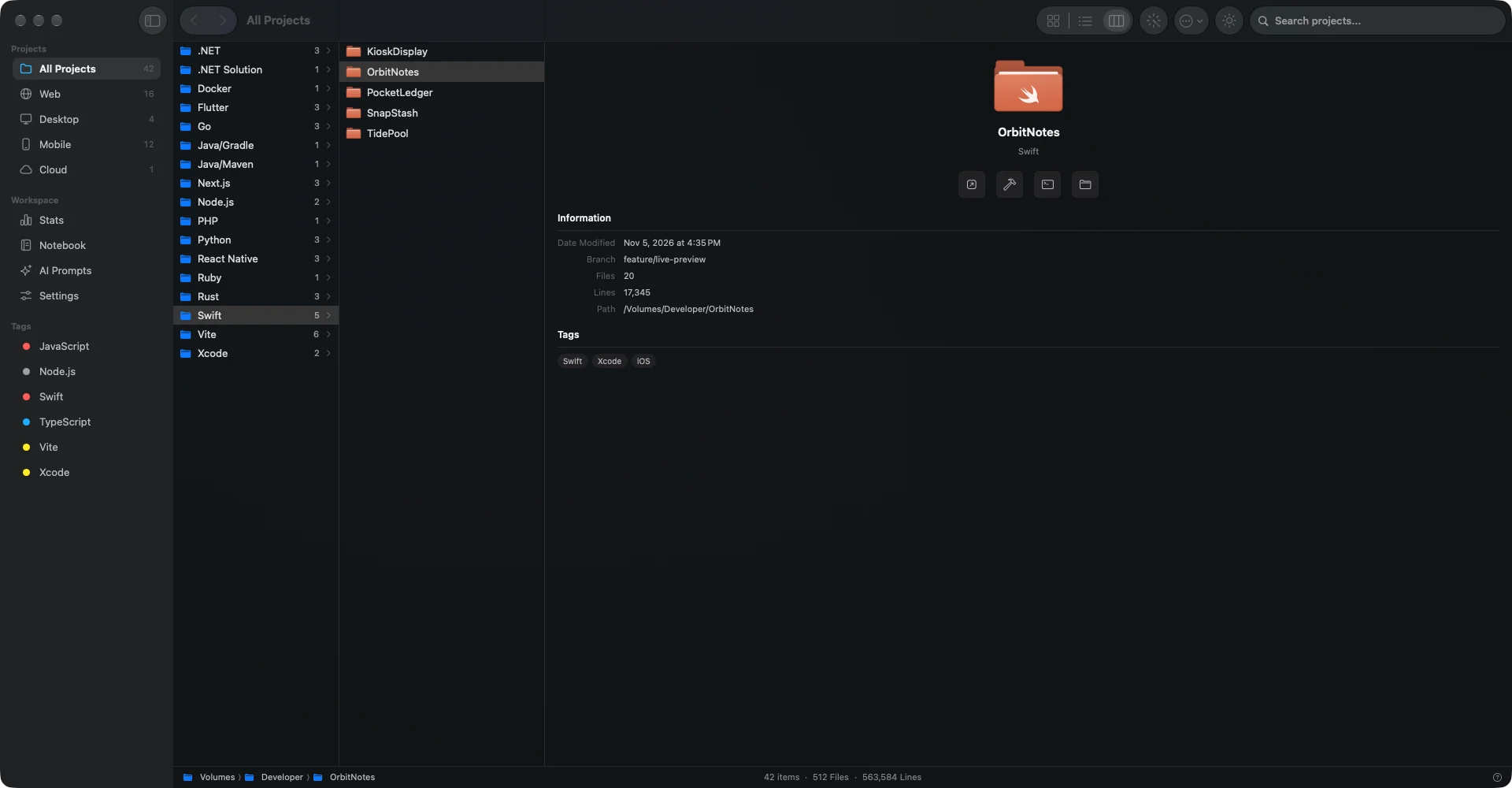
Chart 03 · Project overview
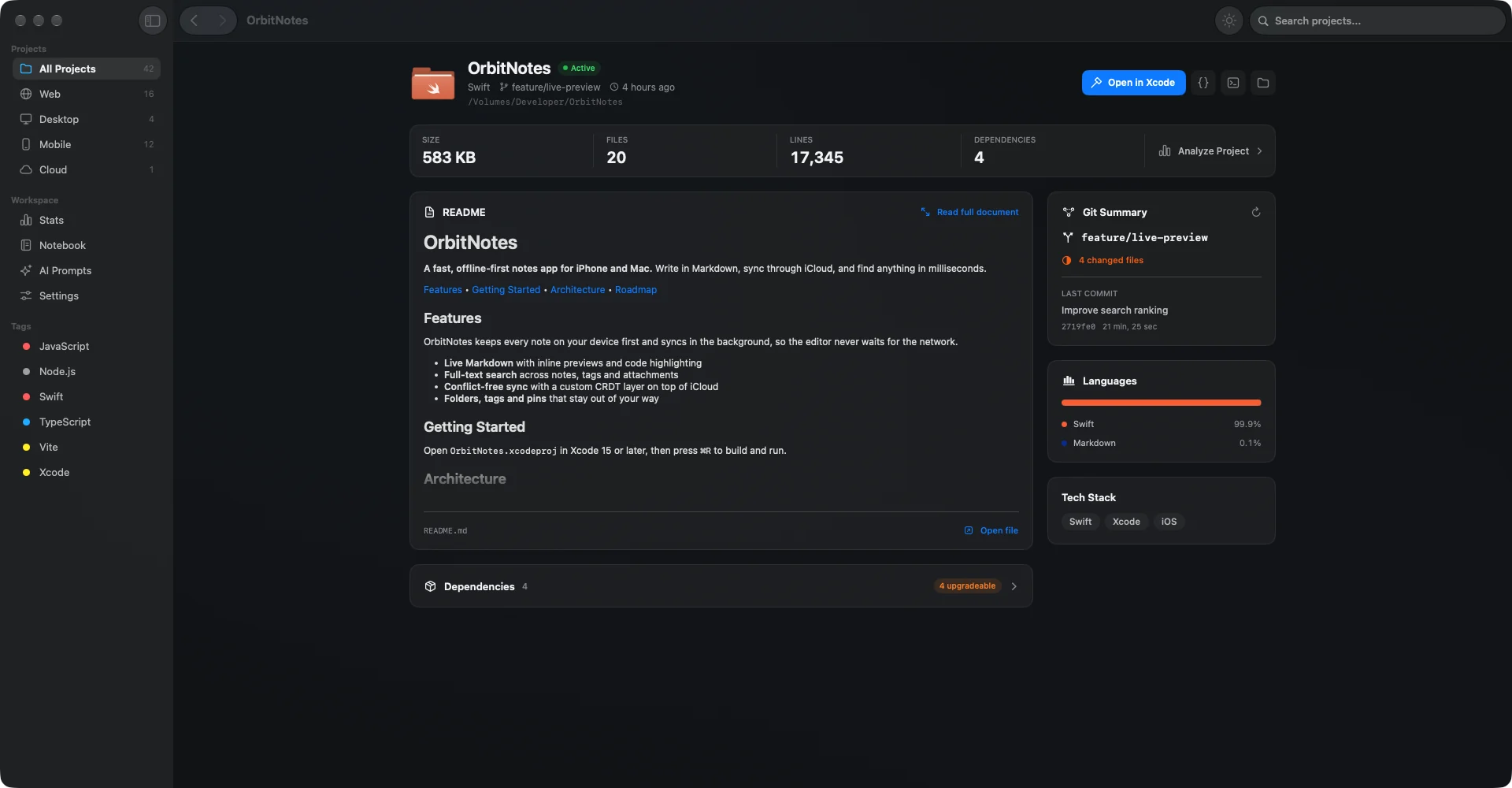
One page, written from what's actually in the repo.
Size, files, lines and dependencies, right under the project name.
Rich Markdown preview, without leaving the app.
Branch, changed files, latest commit, and the real language split.
Parsed from your manifests and checked against upstream registries, so outdated packages show up on their own.
package.json pubspec.yaml go.mod Cargo.toml Package.swift Podfile Cartfile .csproj
Open it in your editor, Terminal or Finder with one click.
Chart 04 · Insights
Keep scrolling. Four instruments for what a file tree can't tell you.
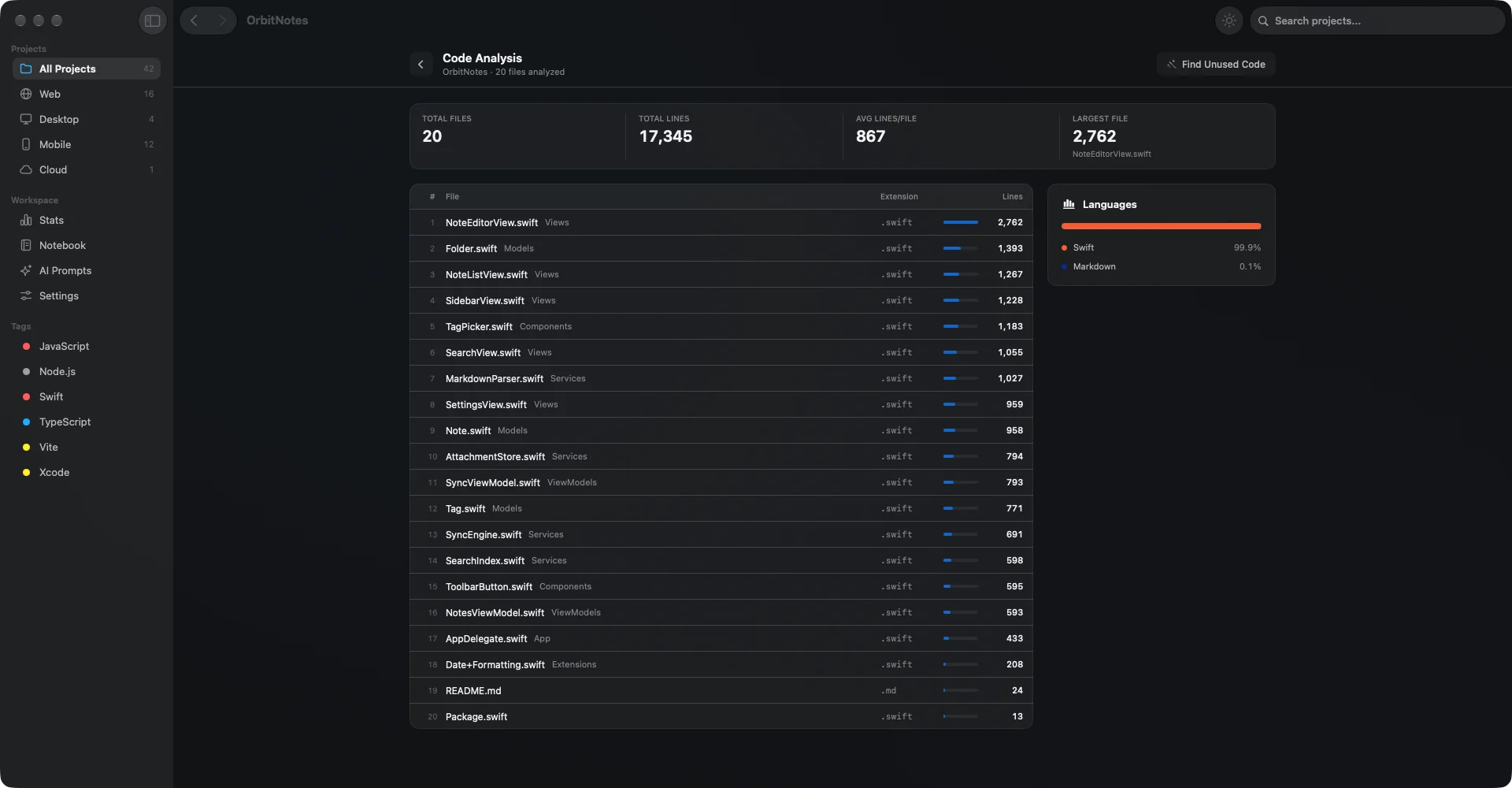
Files, lines, averages and the largest source files, ranked. That 2,762-line view has nowhere to hide.
Functions, classes and variables that are defined but never used, across four languages.
func formatName(_ user: User) -> Stringusedfunc legacyFormat(_ user: User) -> Stringunusedstruct ProfileBadge: Viewusedstruct OldBadge: Viewunusedlet retryLimit = 3usedlet debugFlag = falseunusedenum SyncStateV1unused
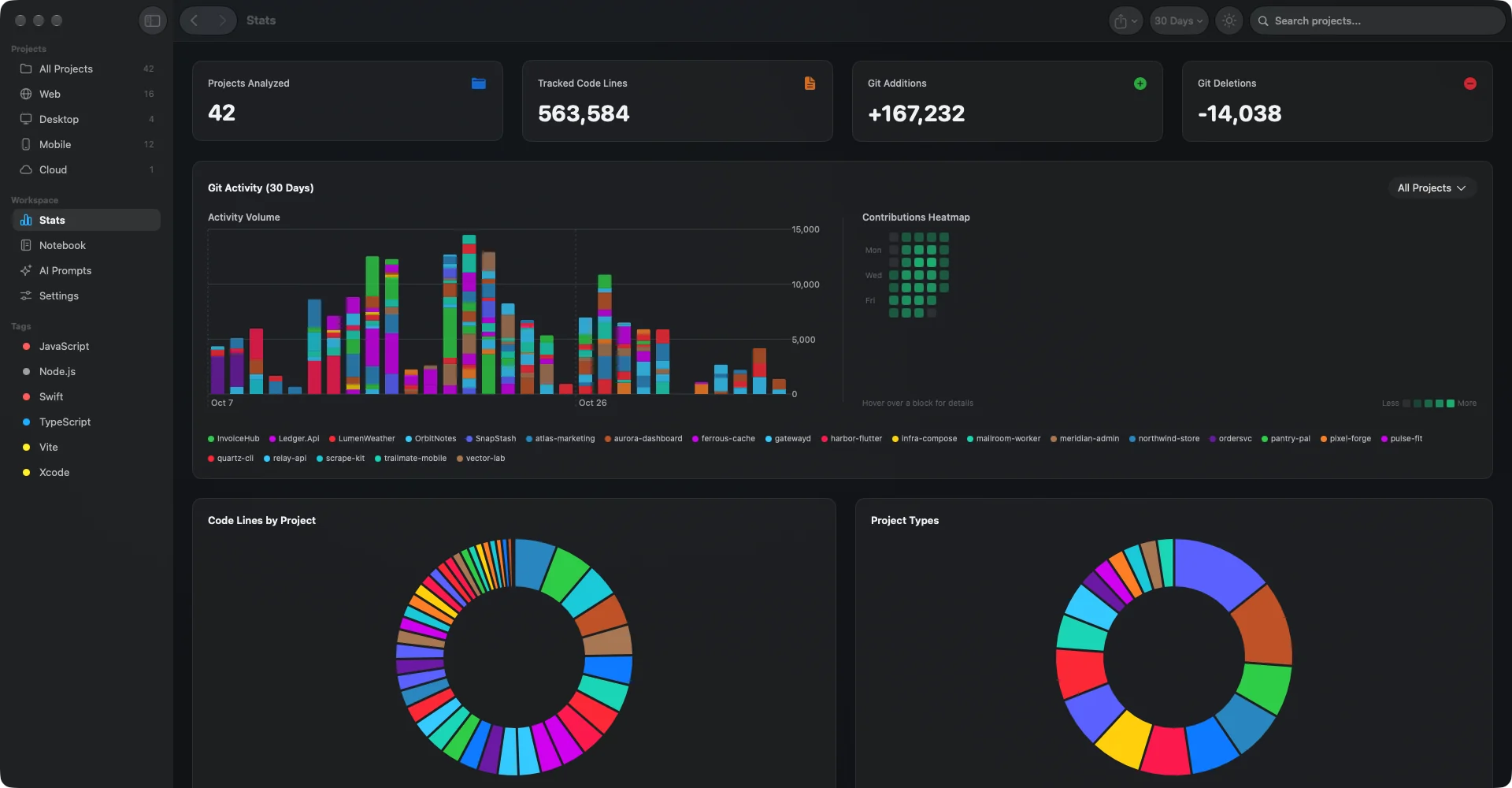
Additions, deletions, activity and a contribution heatmap across all of them. Filter by date, export as CSV.
Project-linked Markdown notes and todos with priorities, searchable across everything.
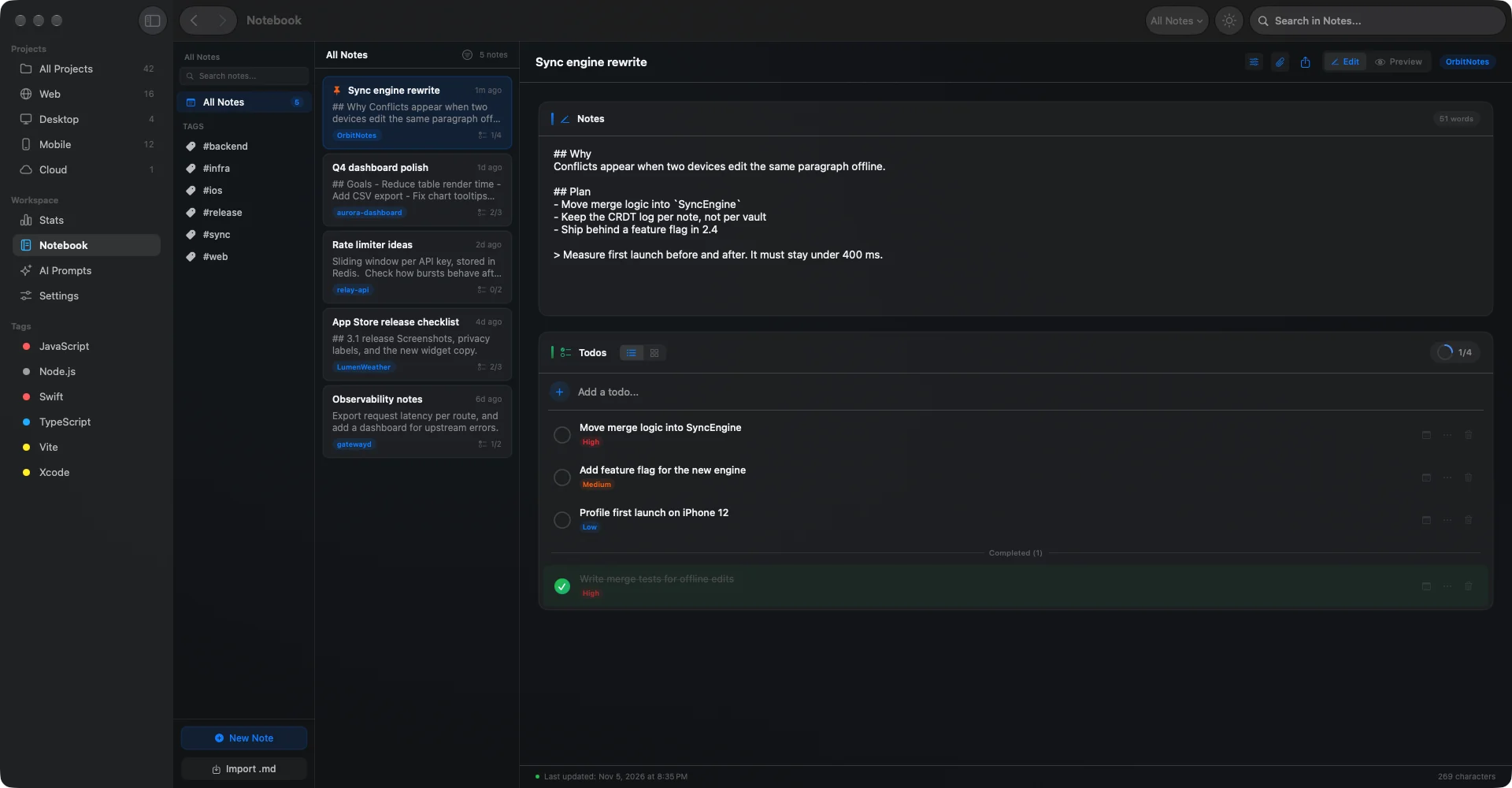
Chart 05 · AI prompts
Preview a prompt, copy it, paste it into the assistant you already use. Audits written to get a real answer, not a generic one.
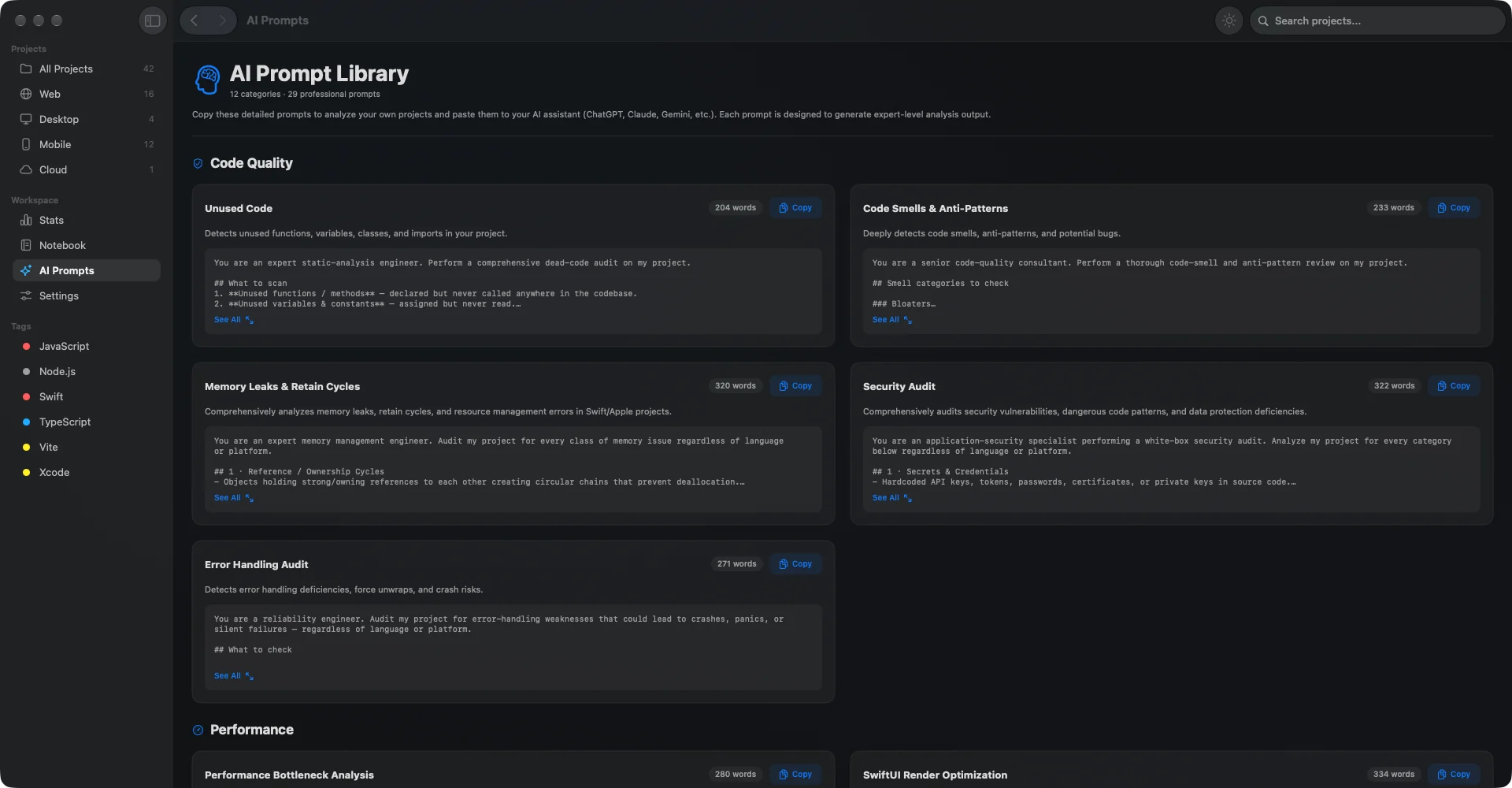
Chart 06 · Quick actions
Chart 07 · Native
The app draws its folder icons with signed distance fields in Metal. This one is the same shader, ported line by line to WebGL. Move your pointer over it for the light. Click for the ripple.
DevAtlasShaders.metal
Swift 5.9SwiftUISwift ChartsMetalasync / awaitObservation
One package on top: MarkdownUI, for rich Markdown.
Fully localized in 8 languages. Switch inside Settings, along with light, dark or system appearance and your accent color.
MIT licensed. Read the source, build it yourself, or open a pull request.
Or build it yourself with Xcode 15+
git clone https://github.com/kodzamani/DevAtlasMac.git